a320 a321 neo audio suite
faq
Update 3 Release Notes
Airbus Audio Suite (A32X Family) | Update Uploaded UPDATE 3
Fixes & Improvements
Uninterrupted Ambiance: Stepping outside for a walkaround during boarding will no longer stop music or cabin audio when you return inside.
Full Fleet Coverage: This fix is active across both aircraft in the suite.
Streaming Recommended: We suggest streaming the audio directly rather than downloading for the smoothest performance.
Update 1 Release Notes
We deeply appreciate your patience as we finalized this update. Our team is fully committed to delivering significant, high-quality improvements to your flight simulation experience, and this update brings crucial refinements to our audio environment.
🛠️ Changelog & Enhancements
Audio Stability: Resolved audio popping issues during engine start and taxiing in dense, high-traffic airport environments.
Cabin Atmosphere: Removed the crying baby sound effect to provide a more relaxed passenger environment.
Ambient Voices: Updated the passenger cabin conversations from British to American accents for regional accuracy.
Brake Fans: Increased the brake fan volume to provide better operational feedback.
Immersion Details: Added post-landing smartphone notification sounds in the cabin to enhance end-of-flight realism.
Cockpit Environment: Added more pronounced co-pilot interaction and movement sounds within the flight deck.
External Engines: Amplified external engine sounds for greater power and authenticity.
Flight Controls: Increased the volume of flap deployment and retraction sounds to ensure clearer auditory feedback.
🎧 A Note on Volume Settings & Realism
We take community requests for volume adjustments very seriously. To ensure the highest level of authenticity, every volume change is carefully validated through direct consultations with real-world A320 pilots and mechanics.
To achieve the best and most accurate auditory experience, please ensure the following:
Set your master volume to 50% or higher.
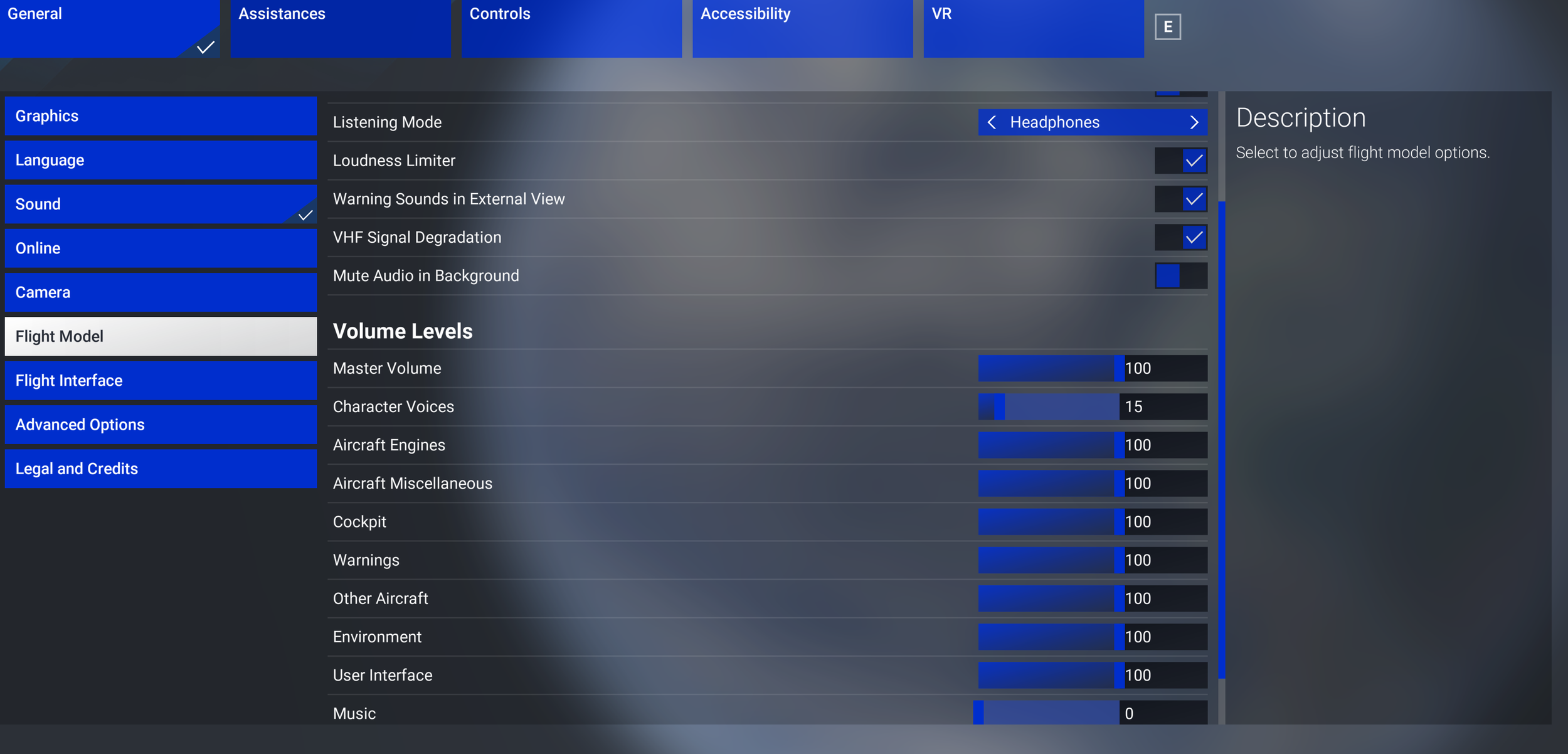
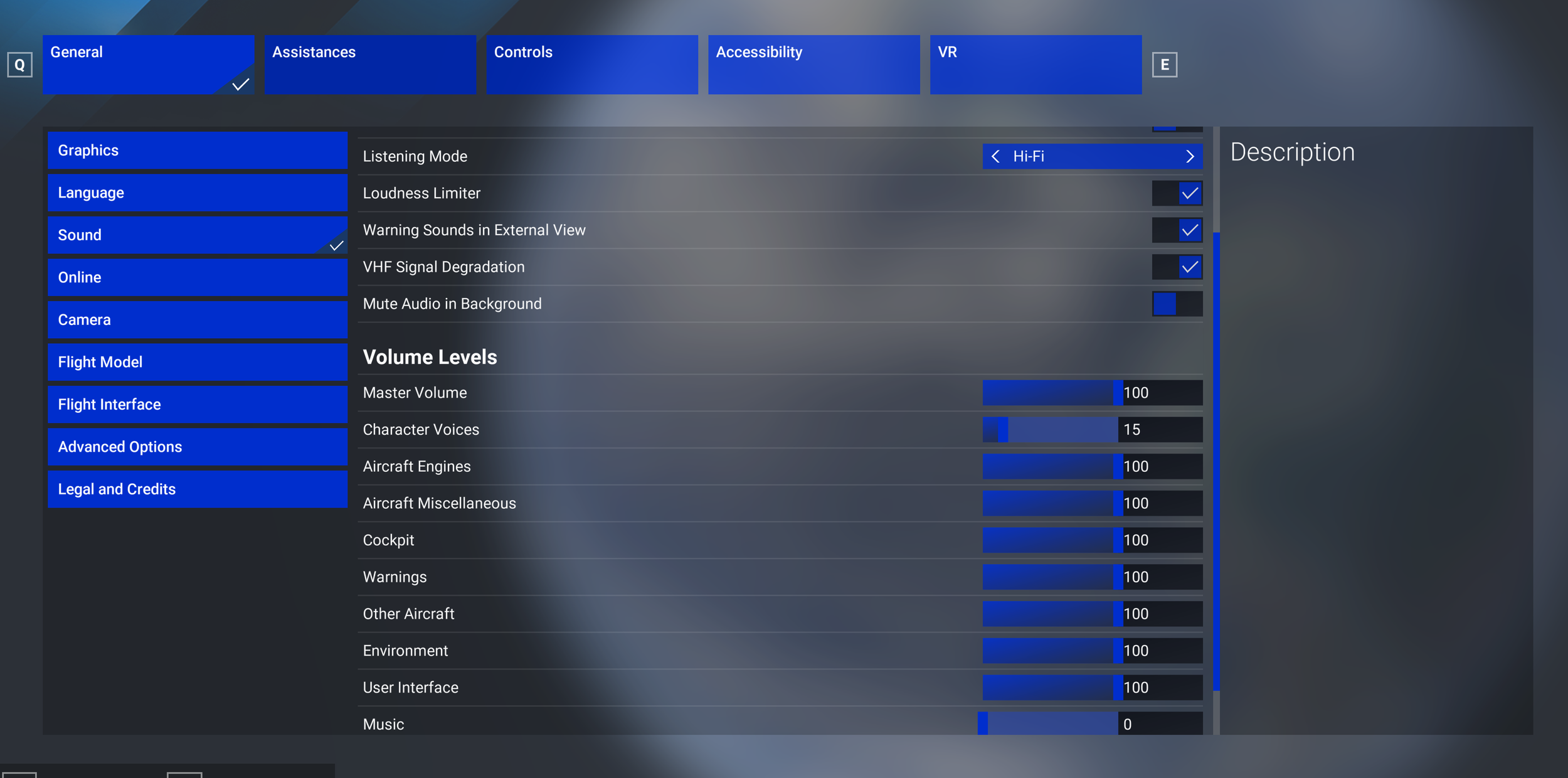
Match your in-game audio settings to your hardware (e.g., select HEADPHONES in the simulator menus if you are wearing headphones, and do the same for speakers).
🚀 Looking Ahead
This update serves as a critical foundation for our upcoming projects. We have temporarily paused the release of additional crew packs until this baseline met our strict quality standards. This package refines the groundwork for all future expansions, ensuring a balanced, realistic, and highly immersive audio experience moving forward.
Thank you for your continued support and engagement!
To block out all announcements and ambient sound on your pedestal, press the PA knob. This way, only the aircraft sound will be active.
It’s recommended to turn up your volume high enough that the cockpit avionic fans are loud enough to hear. This will balance interior and exterior sounds.
DISABLE ANY SOUND-RELATED ADD-ON. In your sound options, make sure to keep your aircraft sound options to 100.
Depending on your output sounds, switch between Listening Mode <Headphones> or <Hi-Fi>.